
· by Michael Blair, Nashville's Mover
Of everything we load on a moving day, a flat-screen TV is one of the few things that can be ruined without a mark on the box. The panel is thin, the frame is light, and the damage from carrying it the wrong way often does not show until it is plugged in at the new house.
The makers’ own manuals are specific about how a TV should be lifted and transported. Here is what LG and Samsung say, and how our crews pack, carry and load a TV on a local move around Nashville.
Can you lay a TV flat to move it?
A flat-screen TV should not be laid flat to move it; the makers say it travels upright. The LG owner’s manual for its OLED B3 televisions says that when transporting the TV, keep it upright and never turn it on its side or tilt it to the left or right. It also says not to set the TV face down on the floor without padding, because the screen can be damaged.
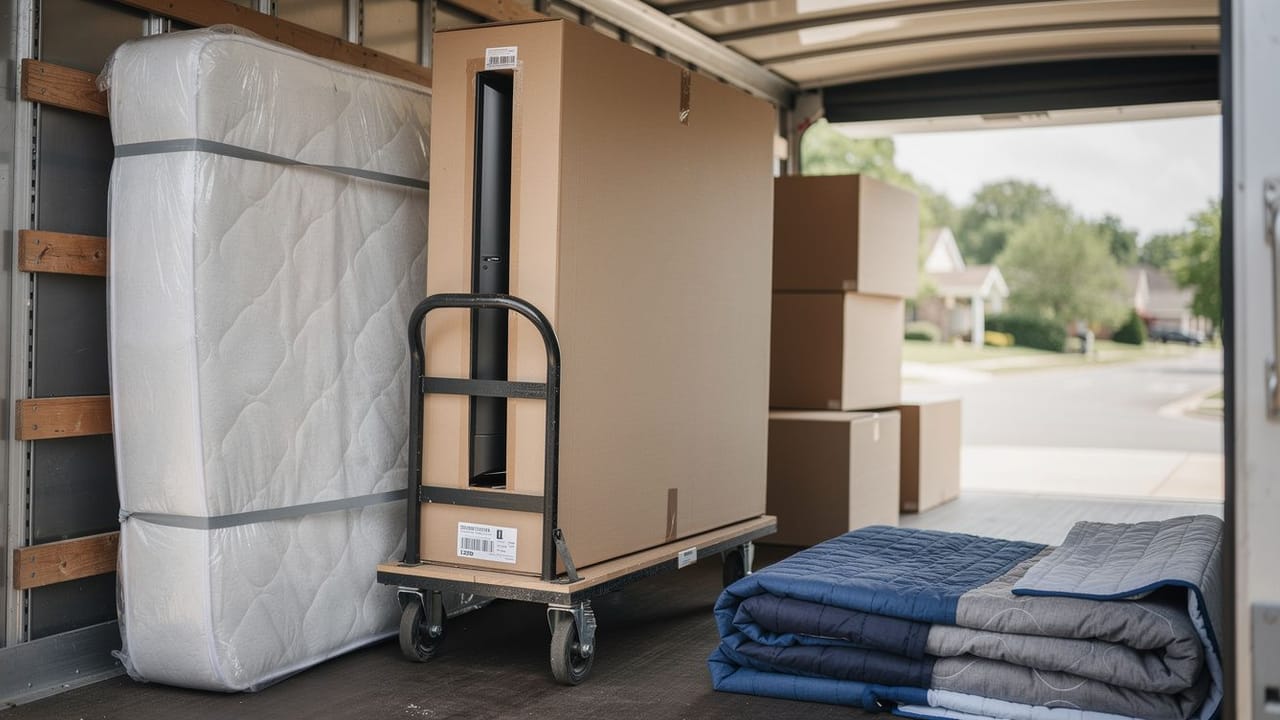
Samsung’s 2023 QLED and UHD TV user manual gives the reason in one line: screens can be damaged by direct pressure when handled incorrectly. A TV lying flat in a truck or across a back seat has its own weight on the panel, and every bump presses it harder. That is why ours stand on edge in the truck, strapped to the wall with soft goods around them, and why a TV belongs upright in the back of an SUV, not flat across the seats.
Do you need the original box to move a TV?
The original box is the best way to move a TV, though not the only one. LG’s manual recommends moving the TV in the box or packing material it came in, which holds the set by the frame with the panel clear of everything. If the carton went out with the recycling years ago, the next best option is a TV moving box sized to the screen, with padded corners and a sleeve that keeps the face from touching anything.
A moving blanket alone protects against scratches but not against pressure, so a wrapped TV still has to stand upright and be kept clear of anything that could lean into the screen. If you are packing yourself, keep the remote, the stand screws and the power cord in a labeled bag taped to the box. Our packing service brings TV boxes sized to the set, and our post on packing that survives the truck covers the rest of the house.
How should a large TV be carried?
A large TV should be carried by two people, holding the frame at the sides and bottom with the screen facing away. LG’s manual says to disconnect the power cord and all cables before moving or lifting the TV, to hold the side and bottom of the frame firmly, and not to hold the transparent part, the speaker or the speaker grille. It says to use at least two people for a large TV and not to expose it to jolts or excessive vibration.
Samsung’s manual recommends lifting at the edges, and says that when a TV is relocated or lifted, the stand should not be pulled out. In practice that means the stand comes off with the TV supported, or stays on and is carried as part of the set, never used as a handle. LG’s manual also says to avoid touching the screen at all times. So our crews never press on the glass to steady a set, and a TV that has to go down stairs goes slowly, in its box, with one person below.
Taking a TV off the wall before the move
Taking a TV off the wall is the first step in moving a mounted set, and it needs two people: one to lift the TV off the bracket and one to keep it upright and clear of the wall. Once it is down, it goes straight into its box. The wall plate is a separate decision. Some sales contracts and leases say whether mounts stay with the house, so check yours before the bracket comes off and leaves holes to patch.
If the mount is coming with you, the bolts, spacers and arm go in a bag taped to the bracket, so the TV can go back up the same way. Tell us at the estimate how many TVs you have, their screen sizes and which are on the wall, so the right boxes come on the truck. For the value of a set, read our post on what moving coverage actually pays. When you are ready, ask us for a written estimate.
Sources
- LG Electronics, OLED B3 owner’s manual (OLED55B3PSA), Lifting and moving the TV — Move in the original box or packing; disconnect power and all cables; screen facing away; hold the side and bottom of the frame, not the speaker or transparent part; at least two people for a large TV; no jolts or excessive vibration; keep upright, never on its side or tilted; no face down without padding; avoid touching the screen
- Samsung Electronics, 2023 QLED and UHD TV user manual (BN68-16475A-01) — Screens can be damaged by direct pressure when handled incorrectly; lift the TV at the edges; do not pull out the stand when relocating or lifting the TV
FAQ
Moving a Flat-Screen TV: Upright, Boxed, Off the Wall — questions
Can you transport a TV lying down in a car?
It is better not to. LG’s manual says to keep a TV upright during transport and never turn it on its side, and Samsung’s warns that direct pressure can damage the screen. Lying down, the set’s own weight rests on the panel. Stand it upright in the cargo area, padded and secured so it cannot tip.
How do you move a TV without the box?
Use a TV moving box sized to the screen, with padded corners and a sleeve over the face, and keep it upright. A blanket alone stops scratches but not pressure, so nothing should lean on the screen. Bag the cord, remote and stand screws, and tape the bag to the box.
How many people does it take to move a large TV?
At least two, says LG’s manual for its OLED sets. Hold the frame at the sides and bottom with the screen facing away, not by the speaker or any transparent part, and unplug the power cord and all cables first. Avoid jolts and heavy vibration on the way to the truck.
Should the TV stand be taken off before moving?
Follow the manual for your model. Samsung’s warns not to pull out the stand when a TV is relocated or lifted, so if it comes off, remove it the way the manual shows, with the TV supported on padding, never by tugging the stand. Keep its screws in a labeled bag taped to the box.
Is it safe to lay a TV face down to take off its stand?
Only on padding. LG’s manual says not to place the TV face down on the floor without padding, and to use a cushioned table or flat surface when attaching or removing the stand, to protect the screen from scratches and damage. Lift it back upright as soon as the stand is off.